Can Excel open a PDF bank statement?
Excel for Microsoft 365 on Windows can import tables from a PDF (Data → Get Data → From File → From PDF). It
works best on clean, digital statements and needs tidying when descriptions wrap or layouts change. Excel for
Mac and Excel on the web don’t have it. Crossfooted works in any browser and gives you the transactions only.
How do I convert a bank statement to Excel for free?
First see if your bank offers a CSV or Excel download for the months you need. If not, the Free plan converts 20
pages a month, about 6 statements, with no card needed and no time limit. For more, paid plans are monthly with
no annual contract, or a one-time pack of 500 pages lasts 12 months.
How do I get my bank statements in Excel format?
Ask your bank first: most online banking can export transactions as CSV or Excel for a date range, which opens
straight in Excel. For months the bank only keeps as PDFs, convert the PDF statements instead.
Can I convert a PDF bank statement to CSV?
Yes. The same conversion downloads as CSV, as well as Excel, QuickBooks Online, Xero, OFX or QIF. For
QuickBooks, see PDF to QuickBooks Online.
Can I use it in Google Sheets?
Yes. Download the Excel or CSV file, then in Google Sheets choose File → Import → Upload, or open the file from
Google Drive.
What columns does the spreadsheet have?
Date, Description, Deposit, Withdrawal and Balance, one row per transaction. If a PDF has more than one account,
an Account column is added. Amounts are numbers, so they total and sort properly.
Will it work with my PDF?
Digital and many scanned PDFs work, from any bank or card. A PDF that asks for a password to open needs the
password removed first (open it and save a copy without one). Photos of statements need saving as a PDF first.
Each file can be up to 15 MB, and up to 30 pages on Free or 50 on a paid plan or with a page pack.
Does it work on a Mac?
Yes. Crossfooted runs in your web browser on Mac or Windows, and the .xlsx file opens in Excel for Mac, Numbers
or Google Sheets.
Do credit card statements work?
Yes. Purchases come out in the Withdrawal column and payments or refunds in Deposit, so a card statement reads
the same way as a bank statement.
Do scanned statements work?
Yes. Digital PDFs and many scanned or image-based statements both work. Cleaner scans convert more reliably,
and the balance check tells you if a line was missed.
Can I put a whole year of statements into one spreadsheet?
Yes. Drop them all in. We sort them by account and month and check each month carries into the next. You get
one spreadsheet per account with every month in order, or one per statement if you prefer.
My bank only has PDFs for old or closed accounts. Will this work?
Yes, that’s what it’s for: statements past your bank’s download window, closed accounts, or a client who only
sends PDFs. Crossfooted reads the PDF itself and needs no connection to the bank.
How do I know the spreadsheet is right?
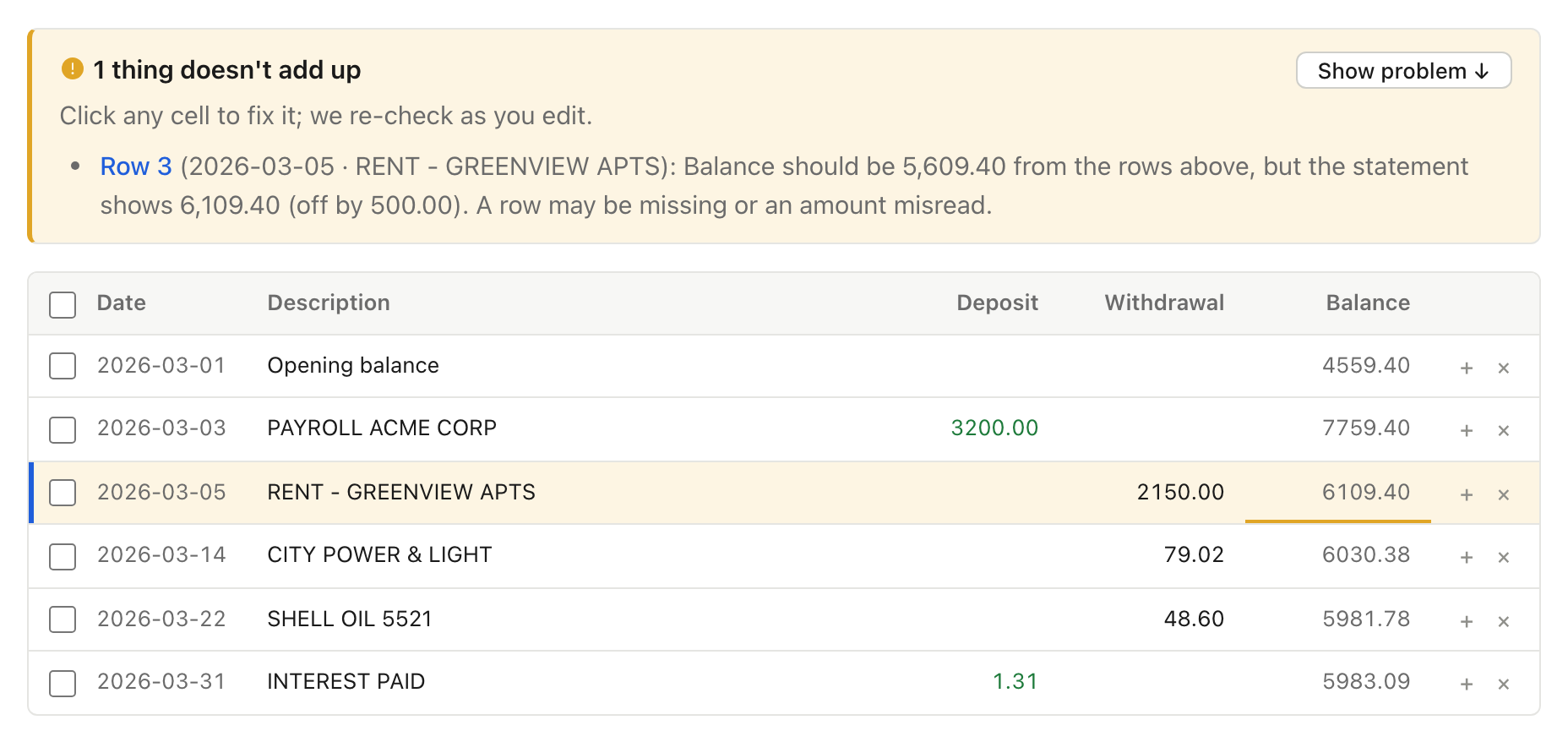
Every row’s running balance is recalculated and has to match the balance printed on the statement, and the
opening and closing balances have to match too. If anything doesn’t add up, you see which row, beside the PDF,
before you download.
Is my financial data safe?
Nothing is uploaded until you press Convert. Files are encrypted, deleted automatically after 24 hours
(Free) or 30 days (paid), and you can delete them sooner with one click. Nobody here looks at your statements
unless you ask us to, and they’re never sold or used to train AI. Details on our
Security page.